What’s new in seven
Continuous improvements
We are constantly enhancing the features and technologies of vjoon seven, your next-gen DAM platform, in order to always deliver breathtaking performance. To keep you up to date with all updates and improvements, we have listed the most important new features here. If you would like to know more about seven or see these innovations in a live demo, simply contact your system integrator or request a demo here.

Discover new features
Release 7.1, July 2026
Flexible Login
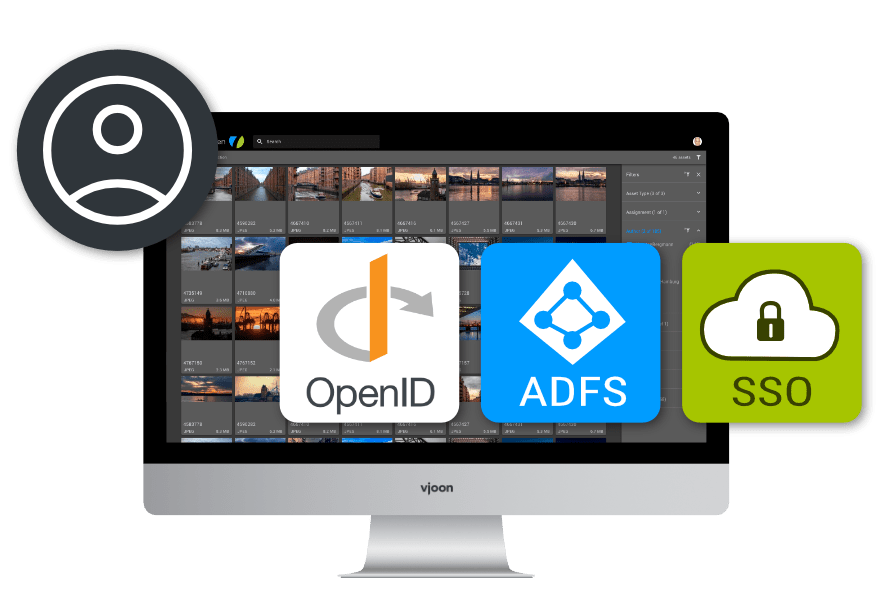
With seven 7.1 we certified several new connectors and provide the corresponding configuration templates. This will allow users to log in with external OpenID Authentication providers, Active Directory or OpenID Connect under Active Directory Federation Services. ADFS also allows for single sign-on (SSO) under Windows.
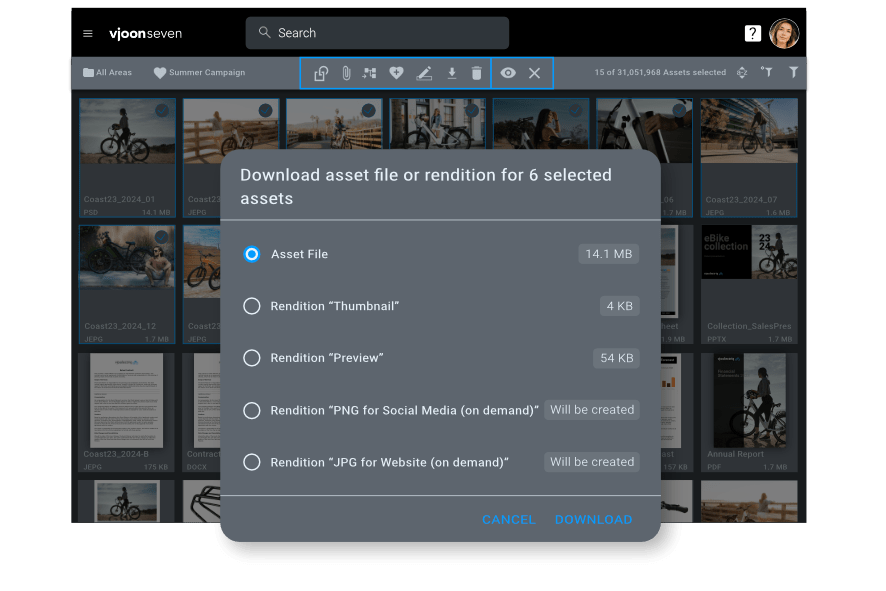
Batch download in Browse Assets View
Assignment notification emails
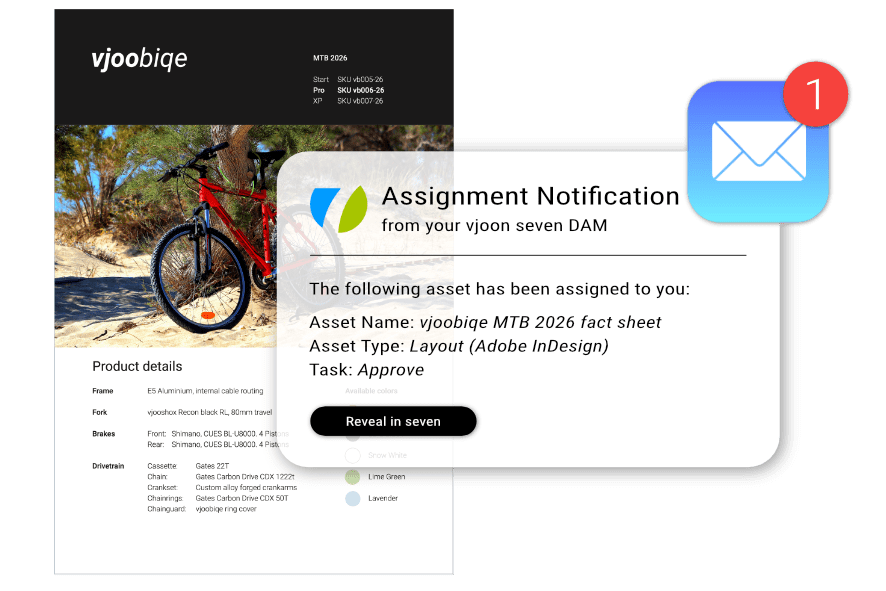
If assets are assigned to users for editing, vjoon seven can now be configured to alert the corresponding users by sending them an email. Assignment notification emails can be designed graphically and may include metadata.
New options with connected systems
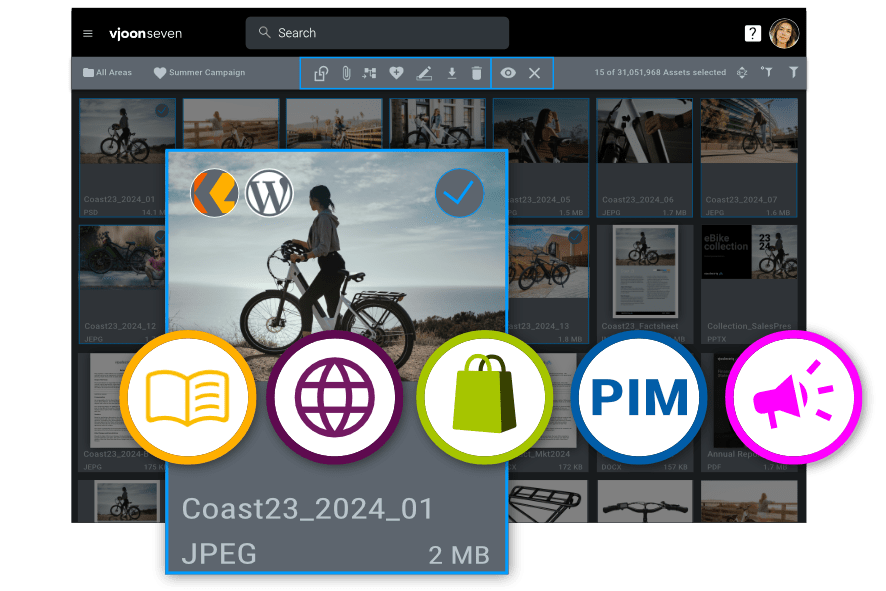
Users can now visually distinguish whether an asset is used by K4, Wordpress, another web system or a general system. In addition, when an asset is used by more than one system, this is displayed right in Browse Assets View.
And, you can now filter by Connected Systems, including K4 publications.
Misc improvements
Improved Relations View
We improved the display of relations in Manage Assets view. Attached to and Variant of relations are now sorted ascending in alphabetical order.
Placed in relations are now sorted per line ascending by page or the first page the asset is placed on. And, you can now collapse and expand the relations metadata field. In collapsed view, the number and type for each relation is displayed in a single line.
Enhanced user import
vjoon seven administrators can now create new users or change existing users more easily by importing CSV files.
Release 7.0, April 2026
Support for Adobe Creative Cloud 2026
With seven 7.0 we support all latest Adobe Creative Cloud 2026 applications (InDesign, InCopy, InDesign Server, Photoshop and Illustrator). Support for the applications from CC2024 and 2025 is retained, of course.
Streamlining user experience for creative content and AI
With this integration, seven allows users to open, edit, and save creative content directly. What’s more, vjoon seven DAM supports content versioning; for example, when editing JPGs, it can save them as PSDs if you want to preserve the layers. This allows users not only to take advantage of the wide range of creative capabilities offered by Adobe Creative Cloud, but also to benefit from the constantly evolving AI features in Adobe applications.
Improvements to sorting
Browse through multi-page documents
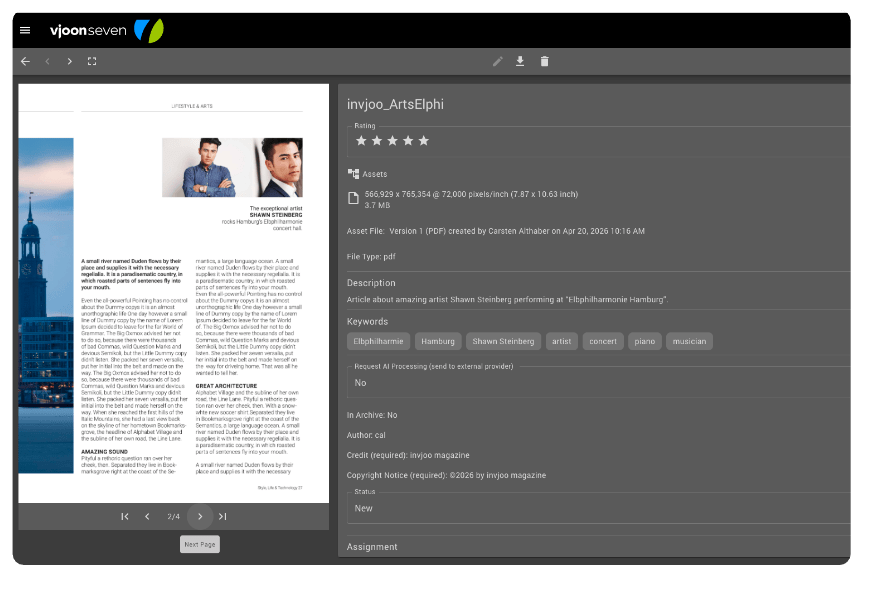
You can now scroll through multi-page documents and preview each page. This is a huge advantage, especially when evaluating and selecting layouts, presentations, or longer text documents. This includes Adobe InDesign files, PDFs, Microsoft Word or LibreOffice documents, text files and PowerPoint or LibreOffice presentations.
Download renditions that fit your needs
In addition to the original multi-page asset, you can also download on demand renditions to quickly view, share or approve all or individual pages.
Enhanced user management
Release 6.1, June 2025
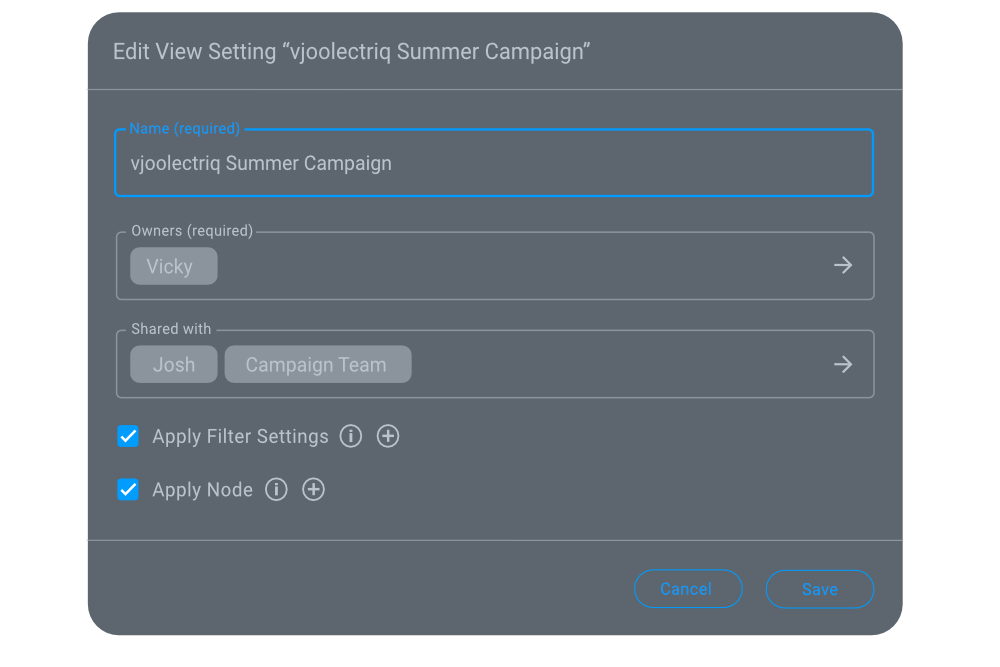
Introducing View Settings
If you often use the same Node and Filter settings, you can now save them as a View Setting. So, instead of selecting target nodes and filters each time you want to find the assets you want, you can now apply a view setting with a single click.
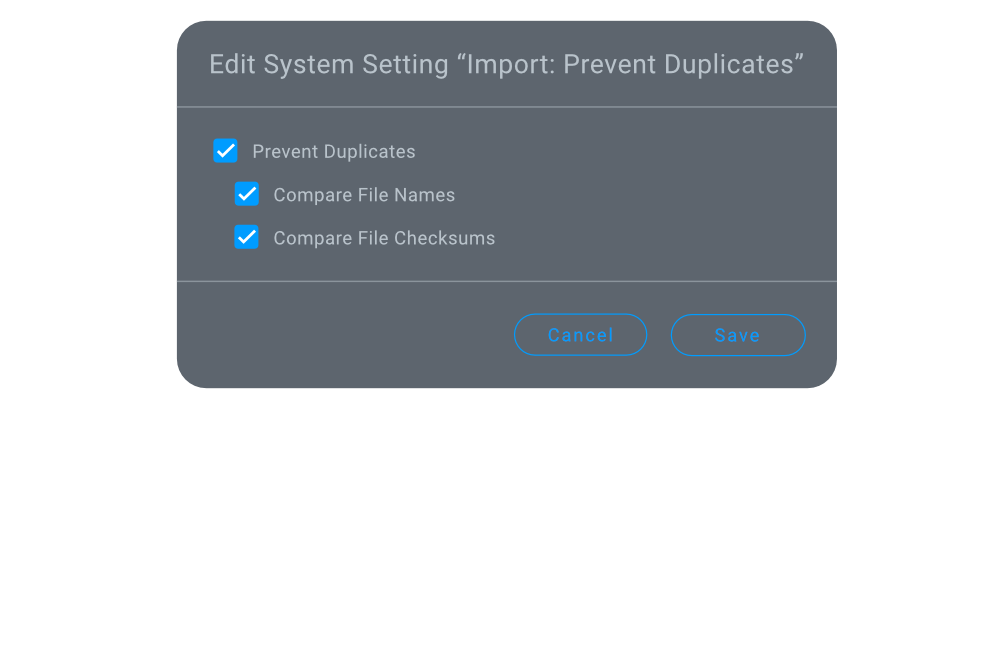
Preventing duplicates
Filtering by assignment
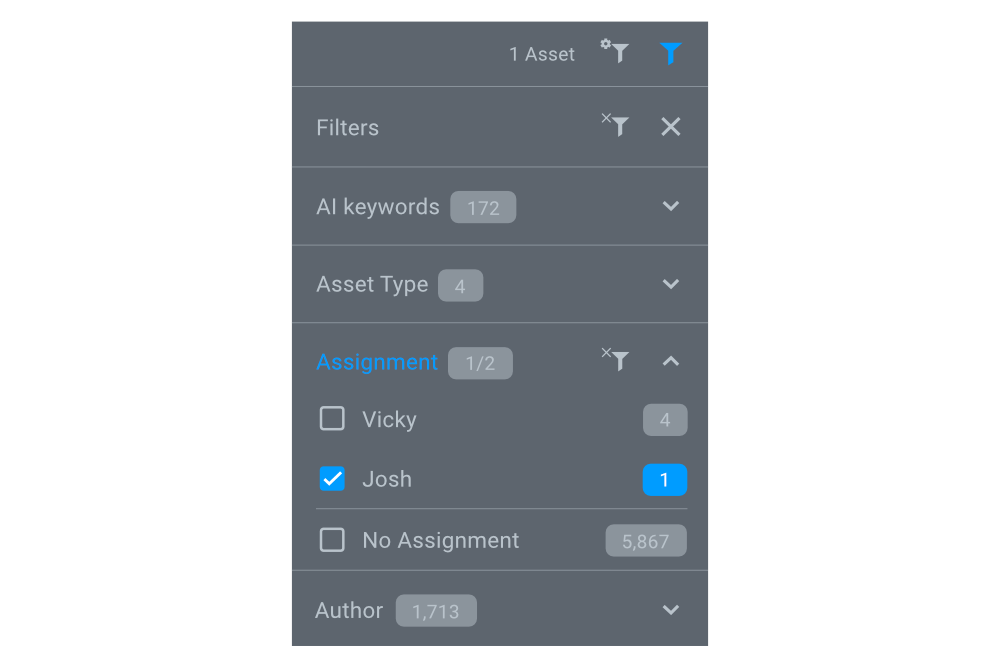
With seven 6.0 we introduced assignments that you use to assign assets to individual users and/or groups.
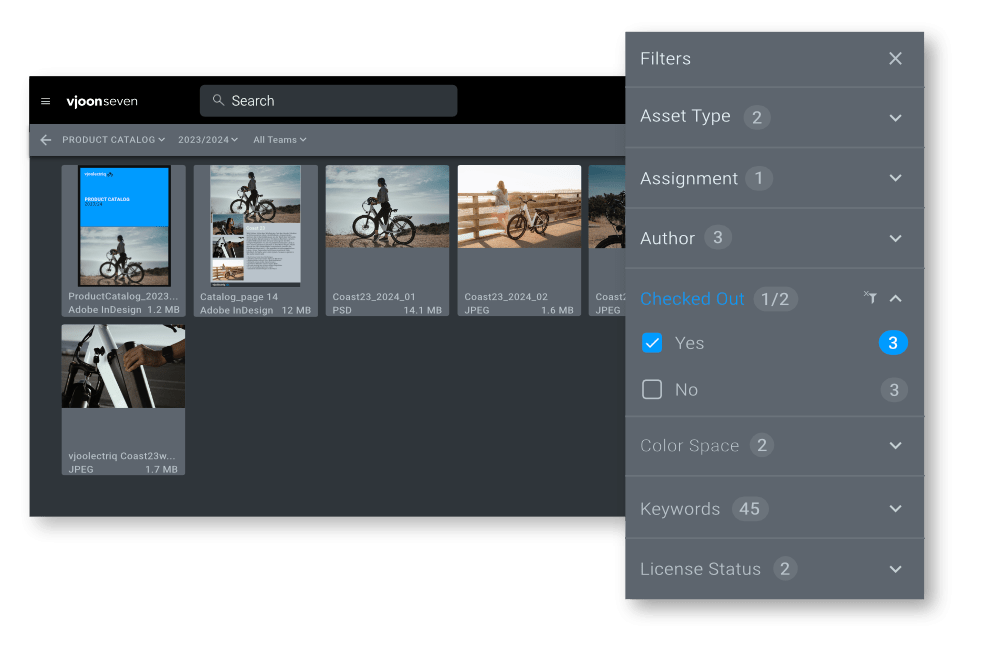
Now, you can use the Assignment filter to find out, who is responsible for working on which asset.
Misc improvements
In addition, there are various optimizations to different features that have already been introduced, for example regarding file editing, log-in, and import persona. Furthermore, we have of course also made a number of other improvements, such as fixing bugs and updating libraries.
Release 6.0, June 2025
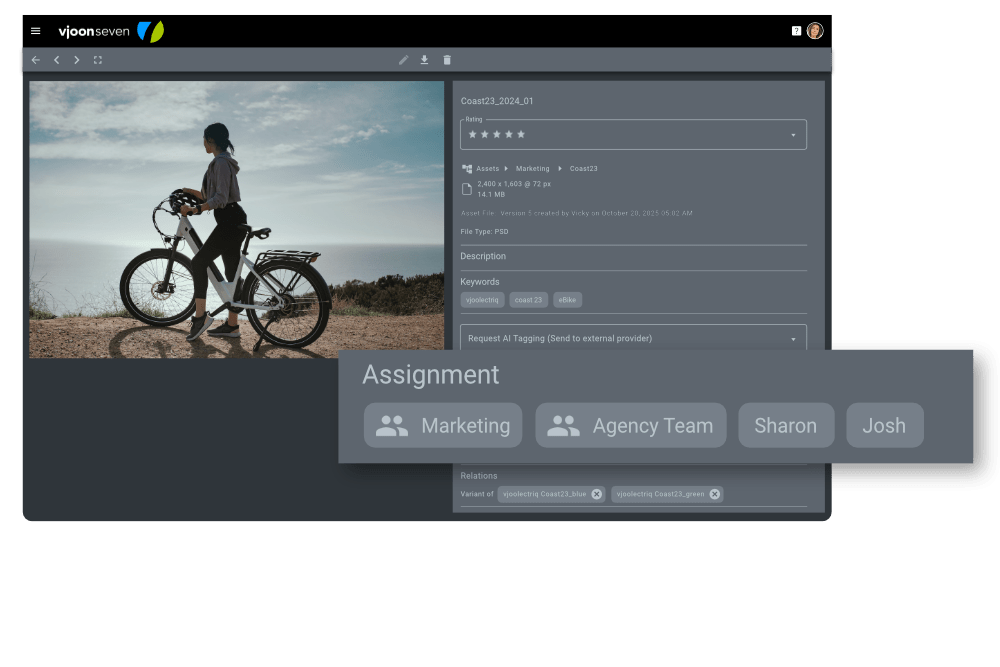
Assignments for users and groups
Assets can be assigned to individual or multiple users and even groups, for example to manage tasks. In this way, typical team workflows can be handled with ease. For example, the workflow starts with the task to the graphic designer, who reworks the photo according to the current campaign style, continues to the art director or marketing manager, who gives their approval and assigns it to the external agency team for use. Assignments can be made not only for individual assets, but also when editing several assets at the same time (“Batch Edit Metadata”) and when importing assets, assignments can be made to users and groups.
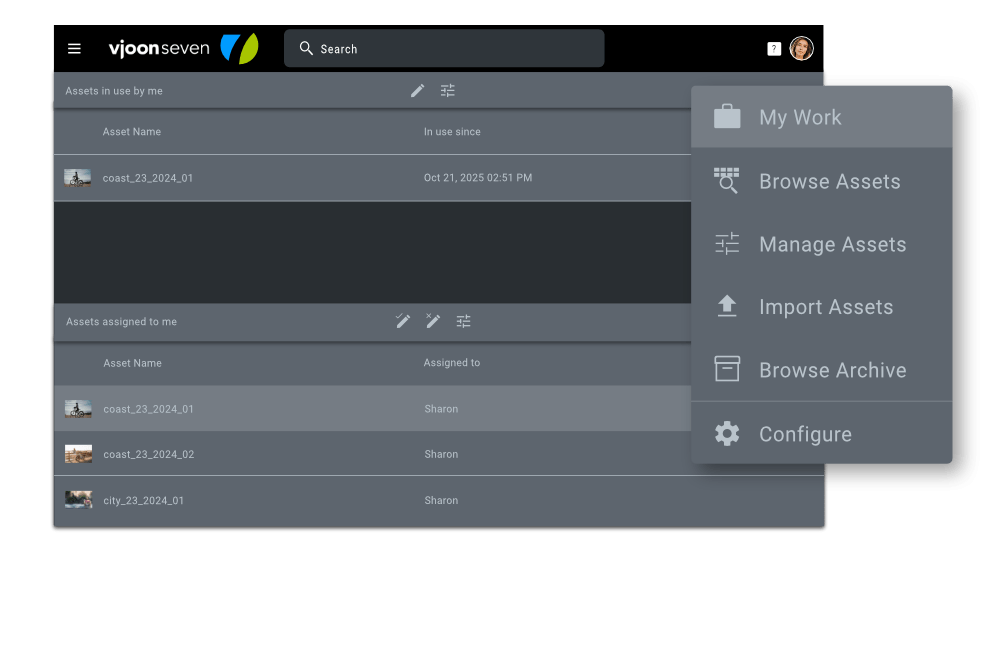
Quick overview of my tasks with “my work”
With “My work”, users can quickly see all the assets assigned to them in one place – both all the assets they have already started working on and all the assets still assigned to them.
Users resume working where they left off without having to search for long. What they started yesterday, they quickly find again today. Whether they want to edit metadata, an image in Adobe Photoshop or a spreadsheet in Microsoft Excel – with just one click, users are in the right place to successfully finish their task.
The same applies to assigned assets. For example, when releasing a campaign design. The user immediately sees the motif pending approval in her or his list, reviews it, approves it and assigns it directly to the marketing team or external agency.
Structure metadata better with groups
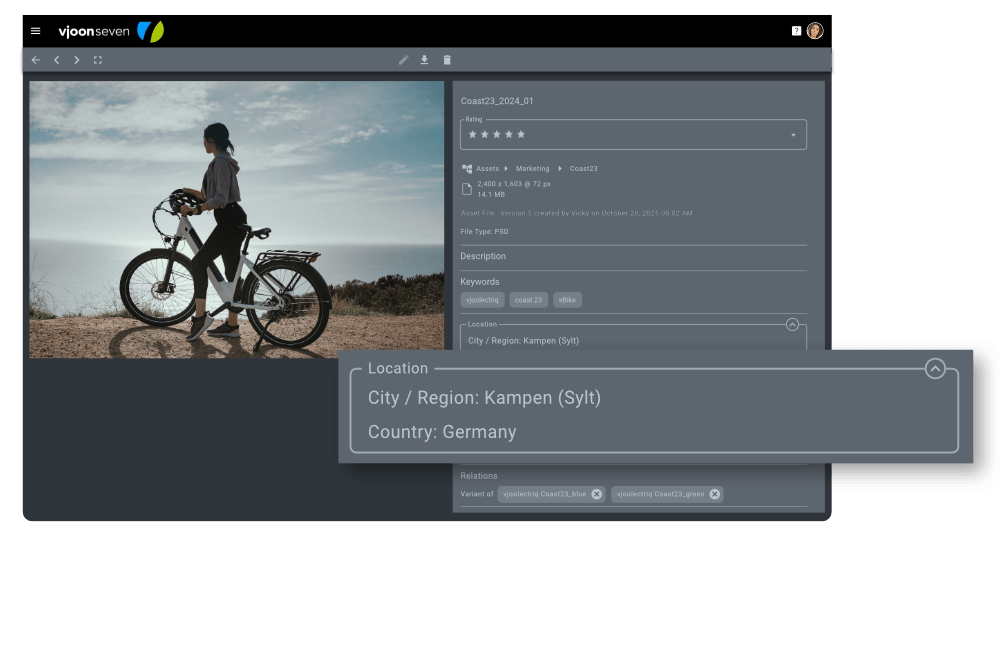
In a modern DAM such as seven, users have over 22,000 metadata fields at their disposal. It is worth taking a close look here and determining which fields should be visible in a particular situation and which should not.
With the newly introduced groups, metadata can be structured even better beyond the familiar metadata profiles. While only certain fields are generally visible in the profiles, anyone can temporarily hide certain fields by collapsing the group. This provides a better overview and focuses on the relevant information. Groups are ideal for logically related metadata, such as campaign information for a photo (customer, product, campaign name, photographer, copyright, etc.). In principle, any number of metadata fields can be part of a group. The view in which a group is initially collapsed can be configured as required.
Improved handling of assets in collections
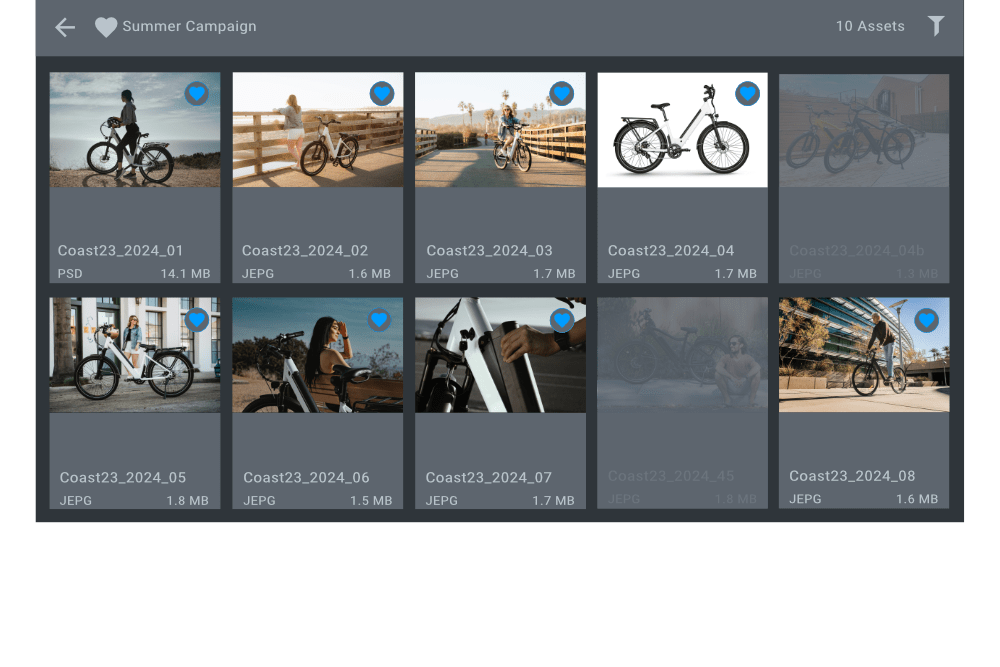
Be honest, how many times have you clicked on the wrong photo and accidentally removed it from a collection? And then you start searching ... which photo was that? seven now solves this problem in a particularly smart way, because before the asset disappears from the collection for good, it is initially only displayed dimmed so that the user can quickly add it again. An asset marked as removed is effectively removed only when the user exits the collection. This minimizes error rates and saves time.
Speaking of saving time – you can of course also select several assets and remove them from the collection. Here too, these are initially only displayed dimmed until you are sure that they should finally disappear from the collection.
Enhanced video & audio management
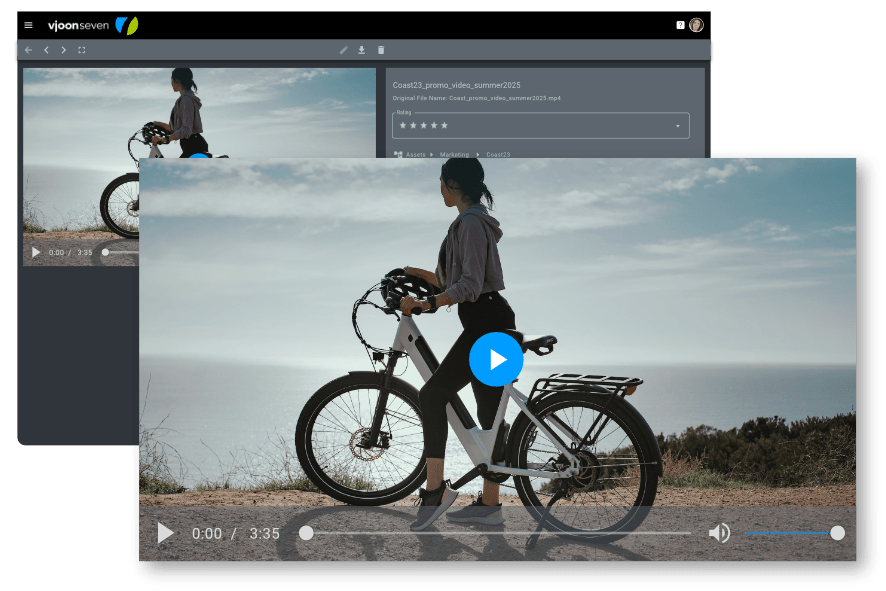
Video and audio are the most successful formats in communication today, and a modern DAM must therefore also enable convenient management of these formats. Providing previews that enable high-performance previewing in the DAM is essential.
From version 6, seven automatically provides special renditions for the preview. This allows users to get a quick and easy impression of the desired video and audio material, especially if they frequently go back and forth during the preview.
In addition, management for the special container formats used for video and audio files has been expanded to include .mka, .mxf, .mkv and .m2ts.
Modernized Identity & Access Management
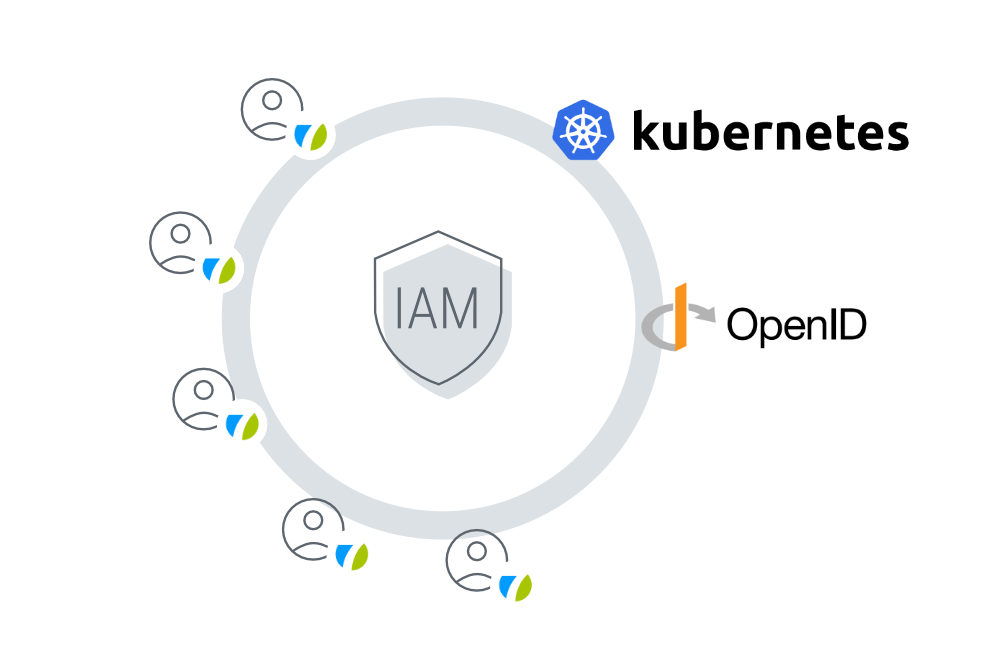
In addition to many improvements and updates to the technical components, we have also modernized the Identity & Access Management (IAM). This has not only made the platform even more secure, but has also made management and installation much easier for customers. The new service runs within the seven Kubernetes cluster, uses OpenID Connect (OIDC) for authentication and manages all user data.

Optimized user experience
In addition to English, the seven user interface is now also available in German. Further languages are planned. Users can set the language according to their personal preferences.
For the best possible user experience (UX), from version 6 onwards seven also uses Google's latest and most modern design system: Material Design 3. In addition, the color handling of the existing themes has been optimized and the new theme “Soft Lilac” has been added.
The system configuration was also optimized as part of the modernized UX. User management (e.g. create, edit, duplicate), local settings (e.g. separators, units, language for the user interface) and the management of metadata profiles (e.g. create, duplicate, delete) have once again become much more convenient.
Another new feature is “My profile”, where the logged-in user can configure personal settings, such as which region he or she works in (for language and formats), or where an avatar can be uploaded or changed. Of course, the personal password can also be changed.
Further UX optimizations are “Continue editing” and “Active node path”. With “Continue Editing”, users can now use the selection options in the “Edit Asset” view to directly open an asset that they have previously edited and closed. The “Active Node Path” allows users to click on any node of the displayed path when editing metadata to jump directly to the node in the “Browse Assets” view.
Released July 2024
Organize your Collections
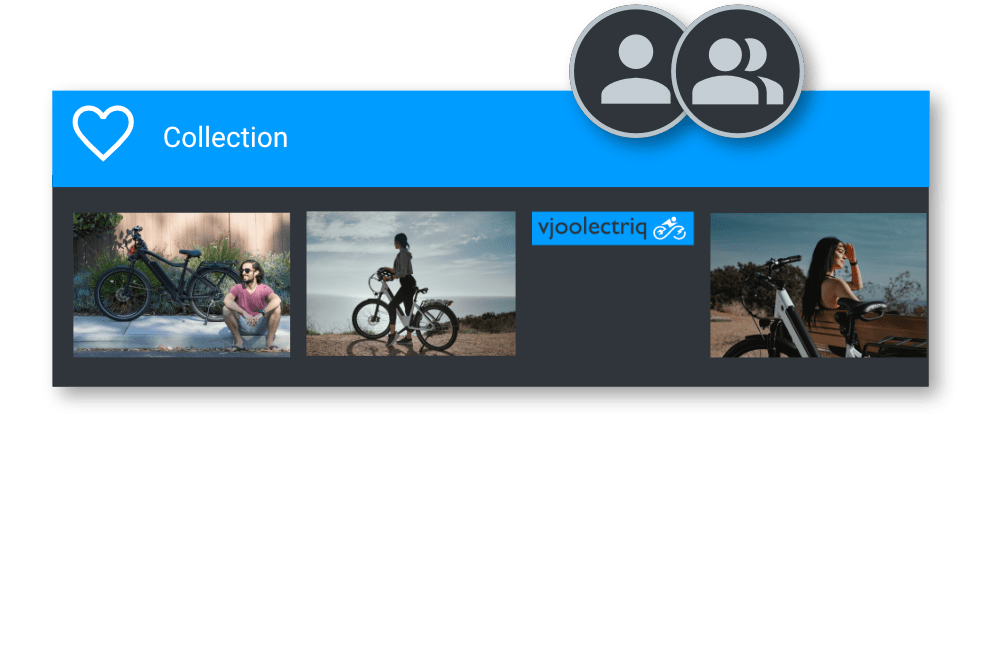
As a user you probably only want to see Collections relevant for your work. Therefore, each Collection can now have one or more owners, and only the owners are able to see and change it. Owners can be single users as well as groups.
This is the second use of groups, which we introduced in seven 5.2.
Enhanced Relations
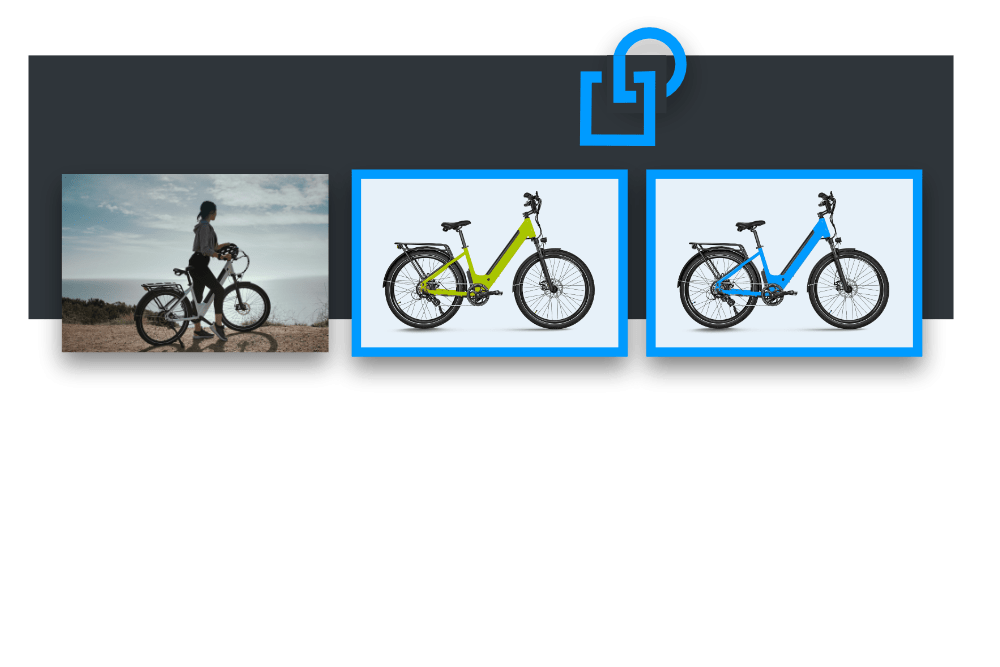
In all browse views you can now connect two or more selected assets as variants of each other by using the new Connect as Variants button from the Selection Options bar. In Manage Assets view you can now create a new asset as a variant of the current asset. The new asset can either be a copy of the entire asset including all it’s versions or any specific version of the asset file. Also in Manage Assets view, you can remove Relations from assets.
Find assets used in connected vjoon K4 systems
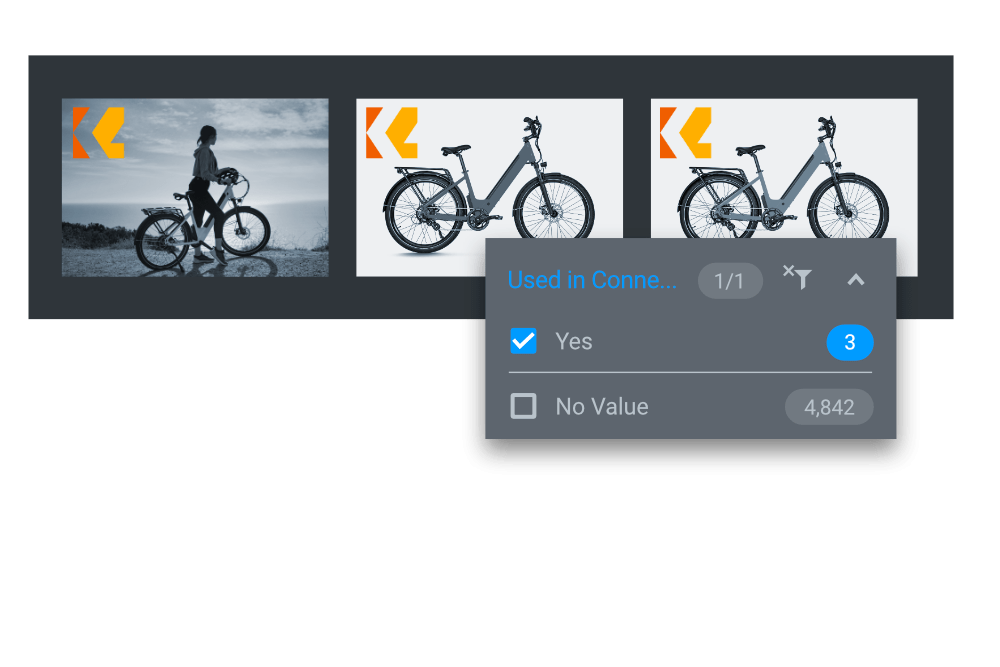
We added the new metadata field Used in Connected System, which reflects whether an asset is used in one or more of the connected K4 publications. You can use it in the filters to easily find these assets. Plus, these assets now show a K4 icon on it’s thumbnail in the Browse views.
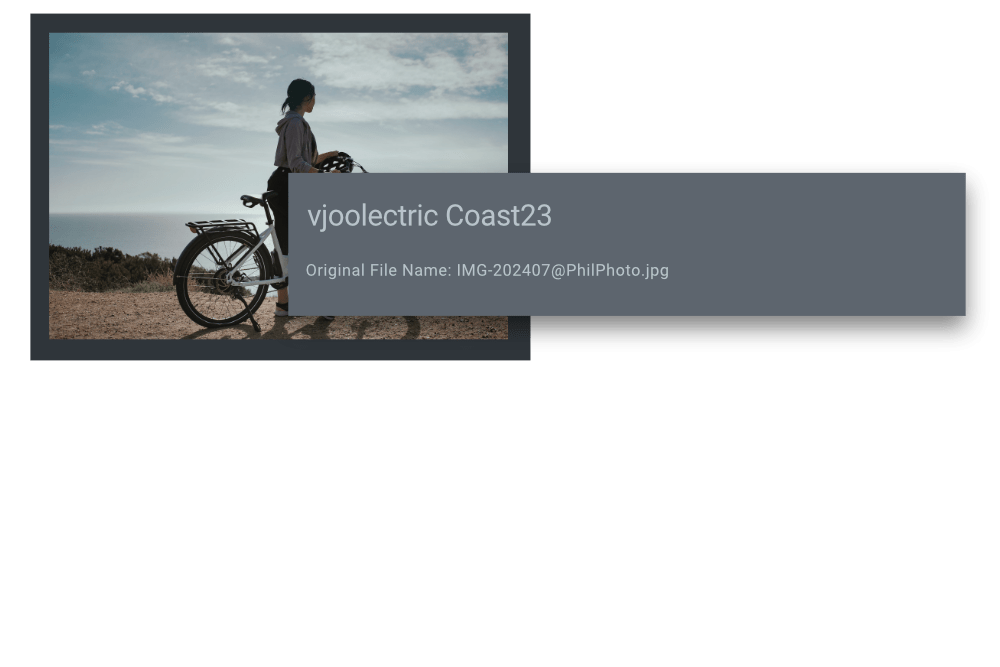
Original file name of asset is recorded
The new metadata field Original File Name is automatically set to the first name of the imported asset file. This implements a feature requested by several customers.
Released April 2024
Better organized with Groups
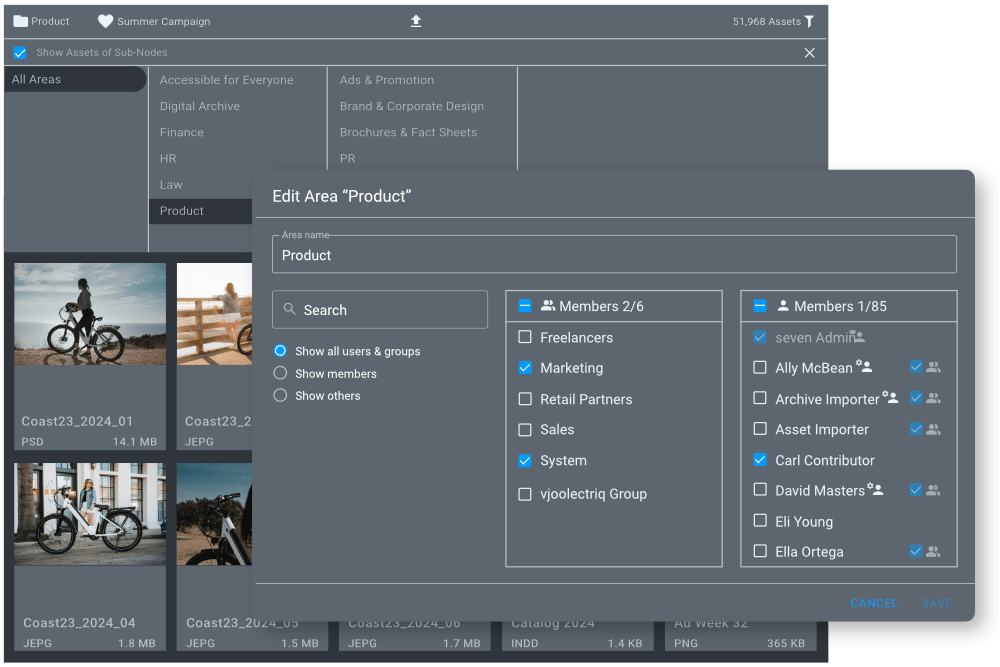
Groups are an important element for organizing users and access for specific areas. Groups can, for example, represent team members of company divisions, ad agency units or a publisher’s editorial staff. By assigning groups to certain areas, the access of different groups/teams to specific content can be managed. Any user can be a member of any number of groups and you can quickly and easily configure, which user belongs to which group. This ensures maximum flexibility at all times, for example for temporary access or changing team members.
Asset Relations and Variants
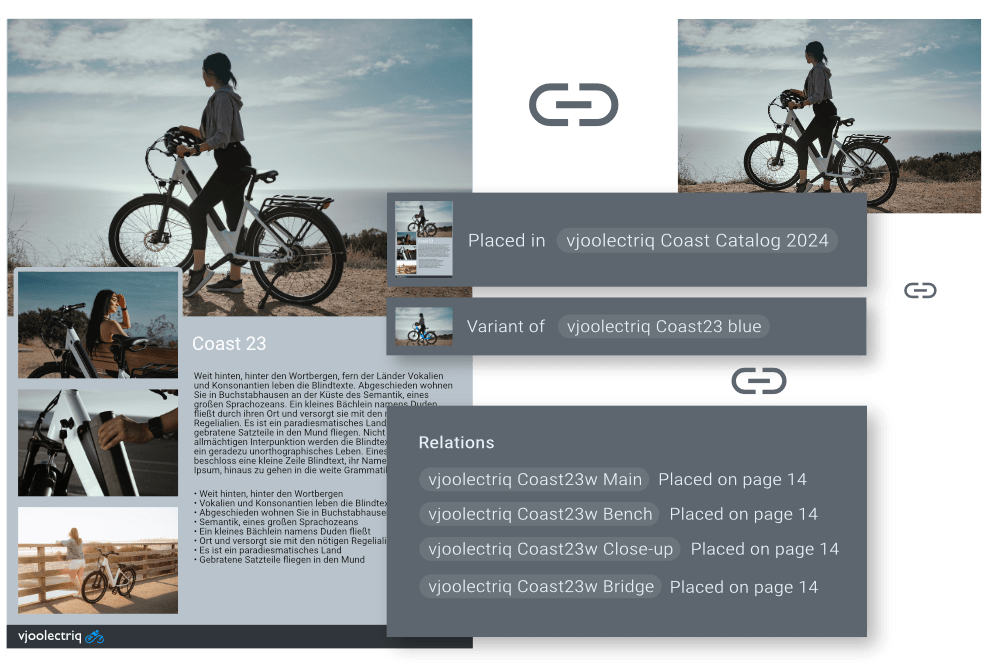
When using the Digital Archive, you can now easily track, where and how an asset was used. Three types of relations are supported: Placed In, Attached To and Variant Of. When importing data from vjoon K4, seven creates relations based on the relations in K4. This makes it easy to see, which image has been placed in which layout, even after the data has been removed from K4.
In Manage Assets view, these relations are clickable links, making it very easy to navigate the relations structure. This not only makes the context visible when searching for previously used content, but also enables the uncomplicated reuse of entire stories.
Introduction of SuperAdmin
With seven 5.2, we introduced the new SuperAdmin. This powerful administration user manages and has access to all areas in seven. In contrast, a normal Asset Manager can only access and manage certain areas. This new administration structure simplifies the administration of areas in seven even more.
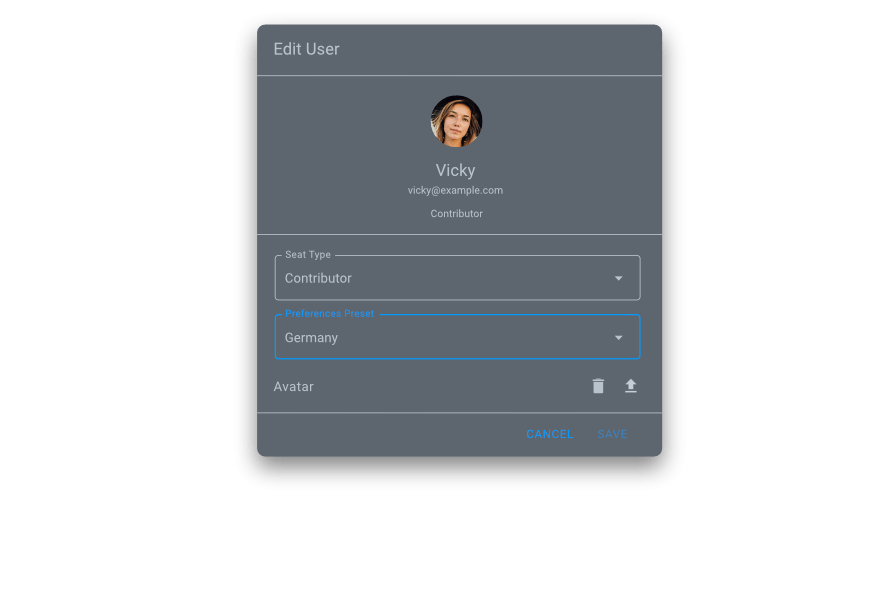
Optimized edit users
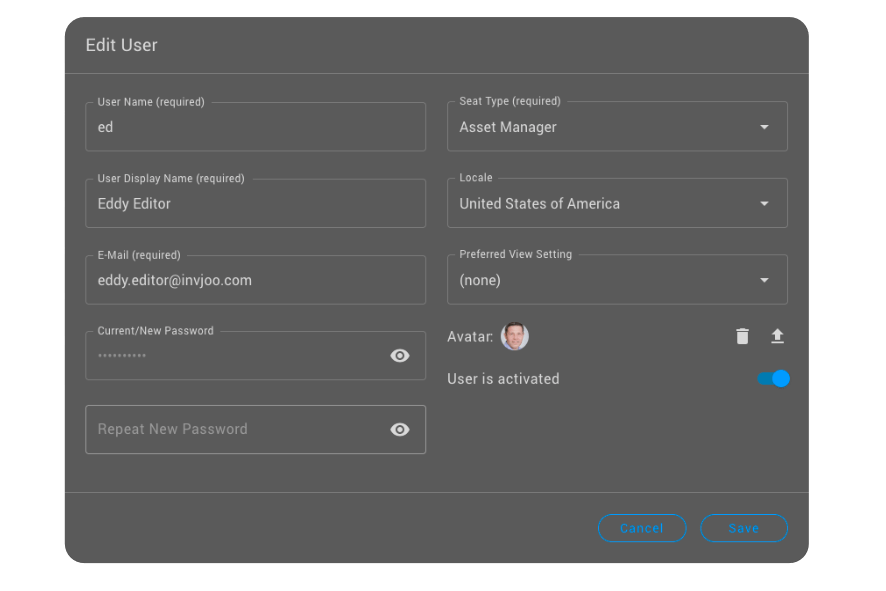
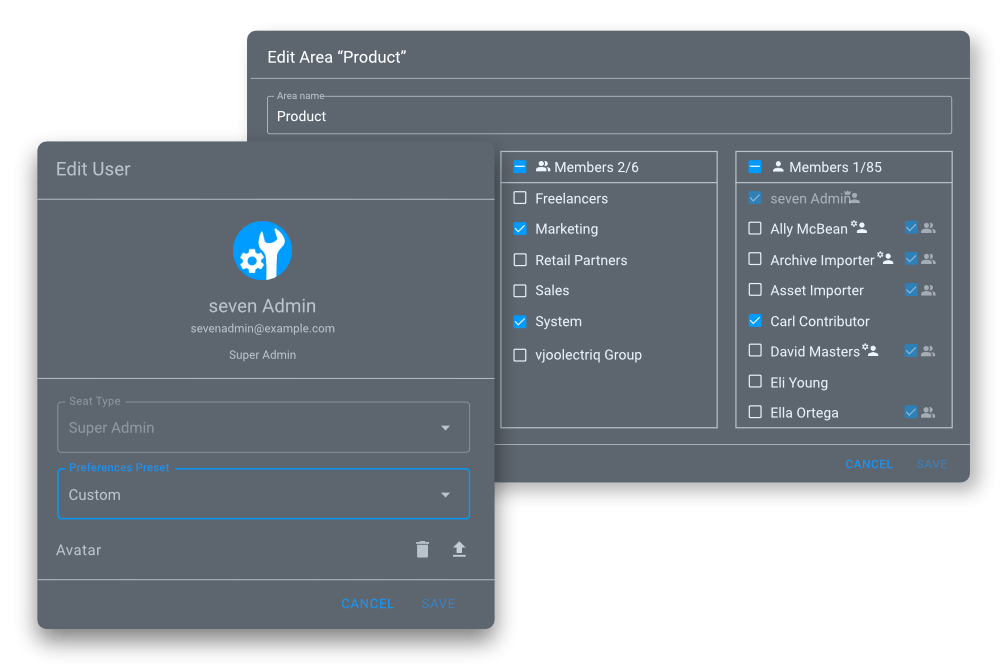
Within the vjoon seven Configure Persona, you can now edit users. This allows to set or remove an avatar image, change the seat type and assign user preferences. The preferences control the display of date and number formats as well as the choice of measurement systems.
Released October/December 2023
Support for Adobe Creative Cloud 2024
Since version 5, vjoon seven plug-ins and adapters instantly support the newest release of the Creative Cloud edition, allowing users to benefit directly from the innovations this version offers. As an example, new visuals for a campaign or layout section can be created from scratch or at short notice, or if different color variants of product images are required, this can be done using Adobe’s creative tools and the included Firefly AI. As before, the results are managed in vjoon seven, your central content hub. This means vjoon customers are able to use the same streamlined workflow with enhanced and fascinating possibilities of generative AI.
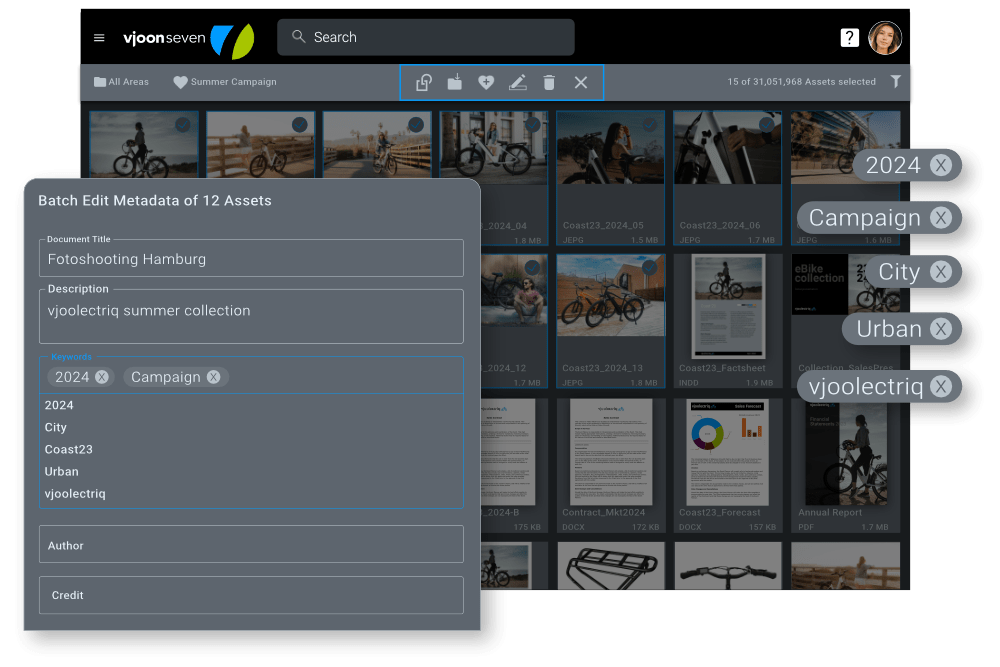
Improved batch edit metadata
Brands, retailers, creative agencies, associations, and publishers regularly process large volumes of assets and know the importance of well-maintained metadata. That’s why metadata management has been further enhanced in the latest version of vjoon seven. Both vjoon seven managers and users can now Batch Edit metadata of assets in a single step. This can help to structure assets of a marketing campaign – be it different product photos, texts or graphics. In just one simple step, the campaign name, product category, or copyright can be changed for all selected assets at once. This way, customers not only reduce the error rate when entering metadata across large amounts of assets, but also save a lot of time.
Suitable Renditions for any purpose
Teams from marketing, communications and e-commerce, as well as editorial teams, need precisley sized images and graphics for their projects. For websites, social media, webshops, and all sorts of other channels used, the countless specifications are constantly changing. Just creating and managing this huge number of different files generates enormous effort.
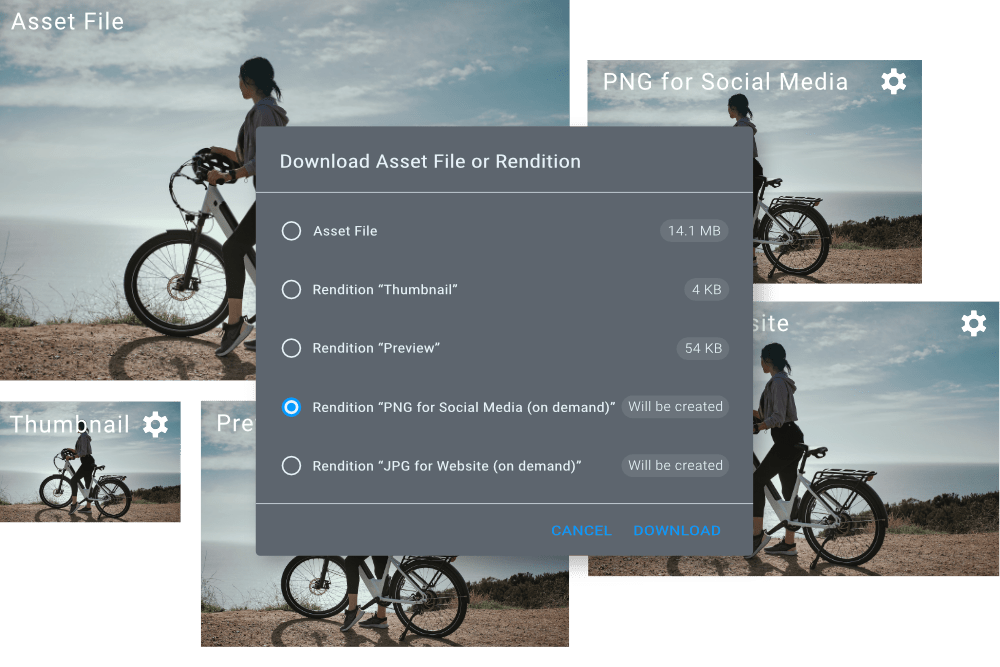
With Renditions, seven has an efficient answer to this challenge. In order to avoid having to modify the valuable original asset files, seven generates perfectly fitting Renditions. These are different representations of the same asset that have changed in size, resolution, file format or color space, just to name a few. For example, if the asset file is stored in the PSD file format in seven, and a user needs the WebP file format from this asset for the website, the corresponding Rendition is generated in seven and made available.
seven distinguishes between automatically and “on-demand” renditions. Automatically generated renditions are created during the initial import or when saving a new version of the original asset file in seven, such as thumbnails, previews, or handy QuickLoad renditions. On-demand renditions are created in seven only when needed, corresponding directly to the parameters required. By not having every conceivable rendition created immediately upon import, you can save time and keep the overall storage requirement lean.
Renditions can also be used very effectively with third-party systems integrated with seven, such as web CMS, marketing automation or social media management. The required Rendition can be provided via automation, transferred to the third-party system and delivered. It is up to the user which type of Rendition is used.
Extensive technology changeover completed
An extensive technological changeover is also being completed in the digital archive. Based on this modern technology, new features can now be added even more easily, faster and more neatly. In parallel with this step, the Search and Filter options in the digital archive have also been expanded – making it even easier to search content and find the archived assets.
Ready for take-off?
Bring your content management to the next level with vjoon.
Our experts will be happy to discuss your challenges and give you a personal demo.